 Modern Day Pioneer
Sort a big pile with Suggested groups
After you bring in a lot of photos, they wait in Waiting. Suggested groups sorts them for you, a group at a time.
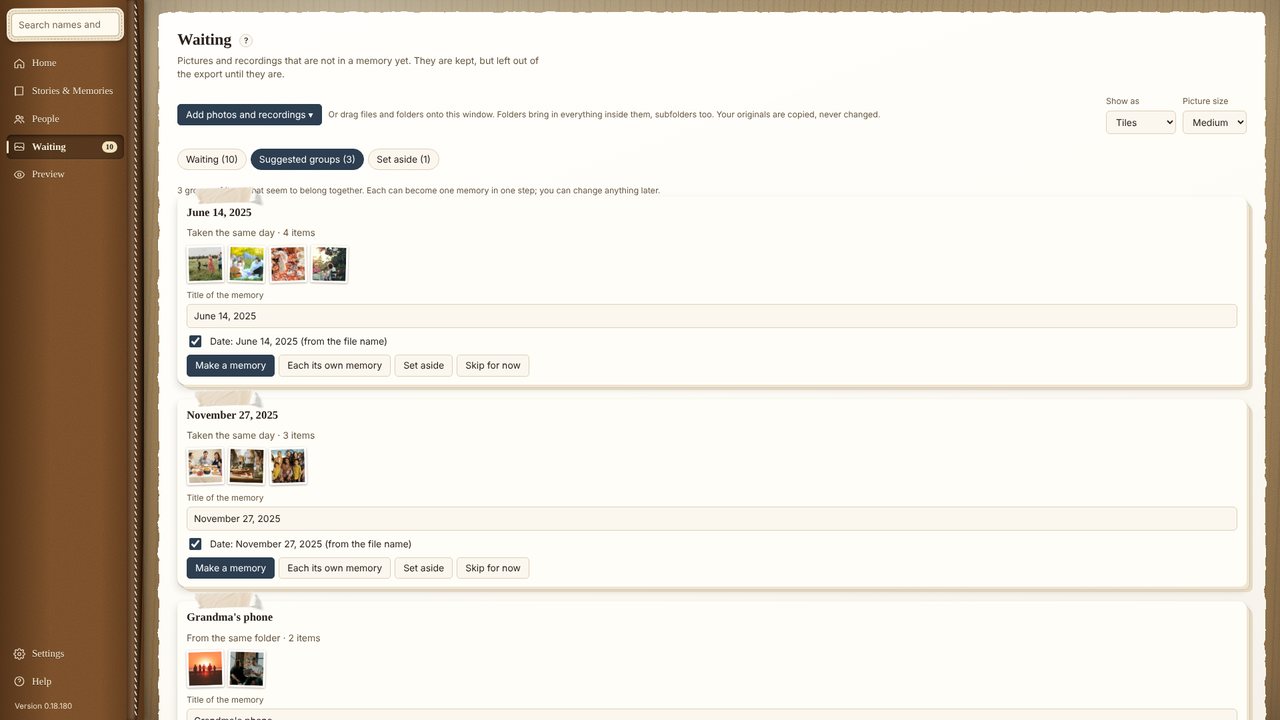
- In Waiting, click Suggested groups. The app groups items that seem to belong together: taken the same day, in the same place, or from the same folder.
- Give a group a title, such as “Picnic in the park”. Its date comes along; untick it if it’s wrong.
- Click Make a memory. The whole group becomes one memory.
- If a group isn’t one moment, click Each its own memory instead. You can also Set aside a group, or Skip for now.
Your new memories are under Assorted memories in Stories & Memories, ready for people, places and a story.